

This article serves as a comprehensive resource for businesses looking to effectively track printing costs using Zeno copiers. By implementing efficient cost management strategies, organizations can significantly reduce expenses and enhance their overall printing processes.
Why Track Printing Costs on Zeno Copiers?
Tracking printing costs is essential for any business aiming to optimize its budget. Understanding these costs allows companies to pinpoint areas where they can save money. By analyzing printing expenses, businesses can:
- Identify Waste: Recognize unnecessary printing and reduce paper usage.
- Enhance Budgeting: Allocate resources more effectively based on actual usage.
- Improve Sustainability: Implement eco-friendly practices by minimizing waste.
How to Access Printing Cost Reports on Zeno Copiers?
Accessing detailed printing cost reports is crucial for effective tracking. Follow these steps to retrieve reports from your Zeno copiers:
- Log in to the copier’s admin interface.
- Navigate to the Reports section.
- Select Cost Reports from the available options.
- Choose the desired date range and parameters for your report.
- Generate and download the report for analysis.
What Metrics Should You Monitor for Cost Tracking?
To gain valuable insights into your printing habits and expenses, monitor the following key metrics:
- Cost per Page: Understand the average cost associated with printing each page.
- Total Pages Printed: Track the volume of pages printed over time.
- Device Usage: Analyze which devices are used most frequently and their associated costs.
How to Implement a Cost-Tracking System for Zeno Copiers?
Implementing a structured cost-tracking system can streamline the process. Here are practical steps to establish an efficient tracking system:
- Set clear objectives for what you want to achieve with cost tracking.
- Choose a software solution that integrates well with Zeno copiers.
- Train staff on how to use the tracking system effectively.
What Tools Can Enhance Your Cost Tracking Process?
Utilizing the right tools can significantly improve the efficiency of your cost tracking. Consider the following software and applications:
- Print Management Software: Tools like PaperCut or Print Manager Plus can provide detailed analytics.
- Accounting Software: Integrate with your existing financial management systems for seamless tracking.
How to Analyze and Optimize Your Printing Costs?
Once you have gathered data on your printing costs, analyzing this information is essential for making informed decisions. Here are strategies for optimizing costs:
- Review Usage Patterns: Identify trends in printing behavior to adjust policies accordingly.
- Set Printing Quotas: Encourage employees to be mindful of their printing habits.
- Invest in Energy-Efficient Devices: Consider upgrading to newer models that consume less energy and ink.
By following these guidelines and utilizing Zeno copiers effectively, businesses can gain control over their printing costs, leading to improved financial performance and sustainability.
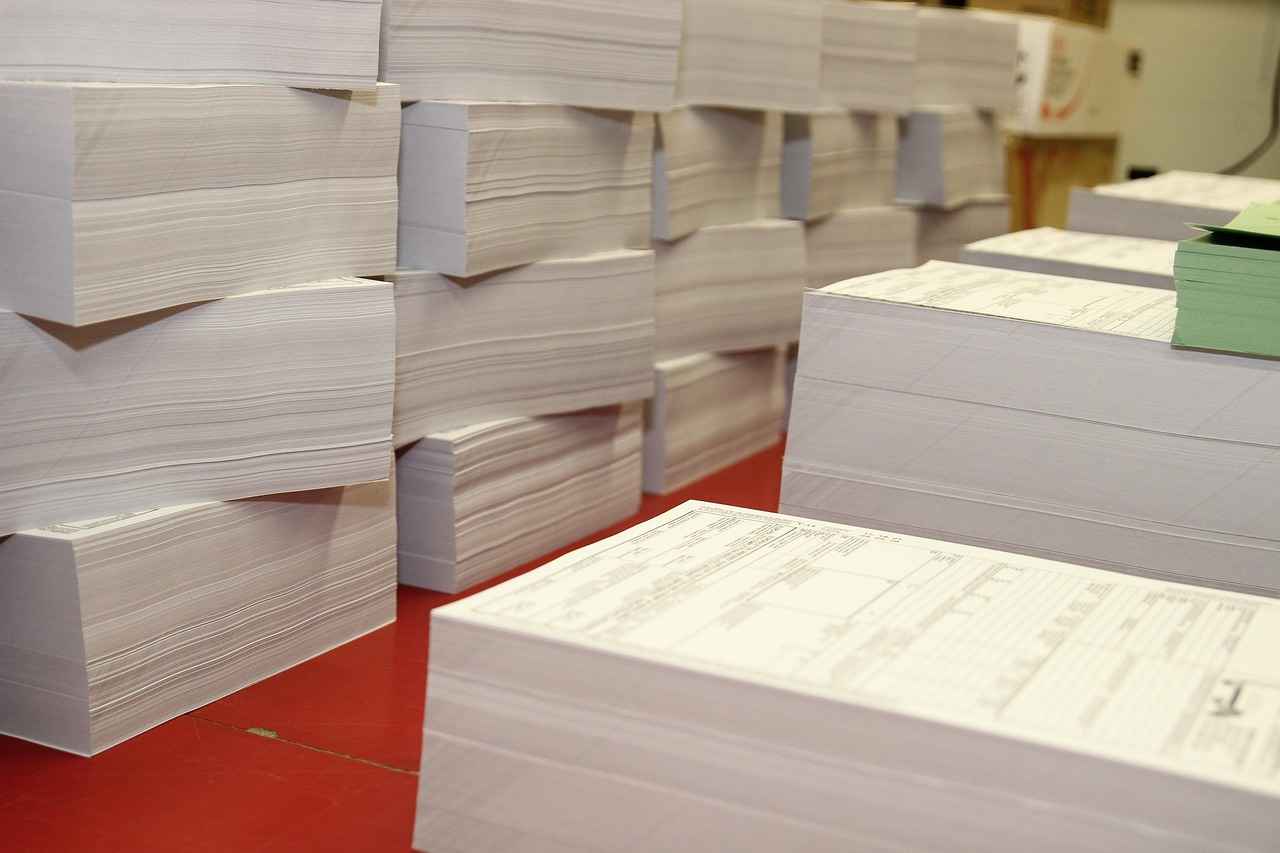
Why Track Printing Costs on Zeno Copiers?
Understanding the significance of tracking printing costs on Zeno copiers is crucial for businesses aiming to enhance their financial efficiency. By meticulously monitoring these costs, organizations can pinpoint areas where savings are possible and make informed decisions regarding their printing practices.
Identifying Cost-Saving Opportunities
When businesses track their printing costs, they can uncover hidden expenses that may otherwise go unnoticed. For instance, analyzing the volume of color versus black-and-white printing can reveal opportunities to switch to more cost-effective options. By reducing unnecessary color printing, companies can significantly lower their overall printing expenses.
Improving Budget Management
Effective cost tracking facilitates better budget management. By having a clear understanding of printing expenditures, businesses can allocate resources more efficiently. This detailed insight allows for adjustments in budget forecasts, ensuring that funds are directed toward more critical areas of the organization.
Enhancing Operational Efficiency
Tracking printing costs also contributes to improved operational efficiency. By identifying which departments or teams are incurring the highest printing costs, businesses can implement targeted strategies to reduce waste. This might include setting printing quotas, encouraging digital documentation, or providing training on efficient printing practices.
Facilitating Strategic Decision-Making
With accurate cost tracking, decision-makers can analyze trends over time. This data-driven approach enables businesses to make strategic decisions regarding their printing needs. For example, if a particular model of Zeno copier is consistently producing lower-quality prints at a higher cost, it may be time to consider an upgrade or a different model.
Encouraging Sustainable Practices
In today’s environmentally conscious world, tracking printing costs can also lead to more sustainable practices. By monitoring paper usage and ink consumption, businesses can adopt greener alternatives, such as double-sided printing and recycled paper. This not only reduces costs but also minimizes the organization’s environmental footprint.
Utilizing Technology for Enhanced Tracking
Modern Zeno copiers come equipped with advanced tracking features that simplify the monitoring process. Utilizing these built-in capabilities can provide real-time data on printing habits, allowing businesses to adjust their strategies promptly. Furthermore, integrating cost-tracking software can enhance this process, providing comprehensive reports that highlight trends and areas for improvement.
Conclusion
In summary, tracking printing costs on Zeno copiers is not just a financial necessity; it is a strategic imperative. By identifying cost-saving opportunities, improving budget management, enhancing operational efficiency, facilitating strategic decision-making, encouraging sustainable practices, and utilizing technology, businesses can optimize their printing processes and ultimately achieve significant savings.

How to Access Printing Cost Reports on Zeno Copiers?
Accessing detailed printing cost reports is crucial for effective tracking in any organization. Zeno copiers come equipped with features that allow users to retrieve comprehensive reports on their printing activities, thus enabling better budget management and cost optimization. Below, we outline the steps to efficiently access these reports from your Zeno copiers.
- Step 1: Access the Control Panel – Begin by navigating to the control panel of your Zeno copier. This is typically located on the front of the machine and features a touchscreen interface.
- Step 2: Log In – If prompted, enter your administrator credentials. This ensures you have the necessary permissions to access detailed reports.
- Step 3: Navigate to the Reporting Section – Look for a section labeled Reports or Usage Statistics. This is where all printing metrics are compiled.
- Step 4: Select Printing Cost Reports – Within the reporting section, locate the option for Printing Cost Reports. Click on this to proceed.
- Step 5: Choose the Desired Time Frame – You may have the option to filter reports by date range. Select the period for which you wish to review the printing costs.
- Step 6: Generate the Report – After selecting your parameters, click on the Generate or View button. The copier will compile the data and present it for review.
- Step 7: Export or Print the Report – Once the report is generated, you can choose to print it directly or export it as a PDF for digital records.
Once you have accessed your printing cost report, it is essential to understand the data presented. The report typically includes:
- Page Counts – Total pages printed during the selected period.
- Cost Per Page – A breakdown of the cost associated with each printed page.
- Usage Trends – Insights into peak printing times and overall usage patterns.
- Departmental Costs – If your organization uses departmental tracking, you may see costs attributed to specific departments.
Regular reviews of your printing cost reports can lead to significant savings. By monitoring usage trends, you can identify unnecessary expenses and implement strategies to reduce costs. For instance, if a particular department consistently exceeds its printing budget, you may consider setting printing limits or promoting digital alternatives.
In conclusion, accessing and analyzing printing cost reports from Zeno copiers is a straightforward process that can yield valuable insights into your organization’s printing habits. By following the outlined steps, you can ensure that your printing costs are effectively tracked and managed, paving the way for improved financial performance.

What Metrics Should You Monitor for Cost Tracking?
In today’s fast-paced business environment, monitoring printing costs is more crucial than ever. Companies often overlook the impact of printing expenses on their overall budget. By focusing on specific metrics, organizations can gain valuable insights into their printing habits and costs. This section will highlight essential metrics that should be monitored for effective cost management.
1. Print Volume
Understanding the total volume of prints is vital. This metric indicates how many pages are printed over a specific period. By tracking print volume, businesses can identify peak usage times and adjust their printing strategies accordingly. For instance, if a department consistently exceeds its printing budget, it may be time to explore digital alternatives or implement stricter printing policies.
2. Cost per Page
Calculating the cost per page is essential for understanding the financial implications of printing. This metric encompasses all costs associated with printing, including ink, paper, and maintenance. By regularly assessing this figure, businesses can compare costs across different printers and make informed decisions about equipment upgrades or replacements.
3. Color vs. Black & White Printing
Monitoring the ratio of color to black and white printing can reveal insights into printing habits. Color printing generally costs more than black and white. By analyzing this ratio, organizations can encourage staff to use black and white printing when color is unnecessary, thereby reducing costs.
4. Waste Levels
Examining waste levels is another critical metric. This includes wasted paper due to misprints, incorrect settings, or unnecessary print jobs. By tracking waste, businesses can implement strategies to minimize it, such as setting default print settings to duplex or encouraging digital document sharing.
5. User Behavior
Understanding user behavior is vital for effective cost management. By monitoring who is printing and what they are printing, organizations can identify trends and adjust policies. For example, if a specific department is responsible for a disproportionate amount of printing, targeted training on digital solutions can be beneficial.
6. Printer Utilization Rates
Evaluating printer utilization rates helps businesses determine whether their printers are being used efficiently. If certain printers are underutilized, it may be worth consolidating printing tasks to fewer machines, which can lead to reduced maintenance costs and improved efficiency.
7. Maintenance and Repair Costs
Lastly, keeping an eye on maintenance and repair costs is crucial. High maintenance costs can indicate that a printer is nearing the end of its lifespan or that it is not suitable for the volume of printing required. Regularly reviewing these costs can help businesses plan for replacements or upgrades more effectively.
In conclusion, by closely monitoring these essential metrics, organizations can gain a comprehensive understanding of their printing costs and habits. This knowledge empowers them to make informed decisions that can lead to significant savings and improved operational efficiency.

How to Implement a Cost-Tracking System for Zeno Copiers?
Implementing a structured cost-tracking system can significantly enhance the efficiency of managing printing expenses associated with Zeno copiers. By establishing a systematic approach, businesses can gain valuable insights into their printing habits, identify areas for cost savings, and optimize their overall budget.
To begin, it is essential to develop a clear understanding of what a cost-tracking system entails. This system should be tailored specifically to the needs of your organization and the capabilities of Zeno copiers. Below are practical steps to help you set up an effective cost-tracking system:
- Define Your Objectives: Start by outlining the primary goals for your cost-tracking system. Are you looking to reduce waste, monitor usage by department, or analyze cost per print? Having clear objectives will guide your implementation process.
- Choose the Right Software: Select a cost-tracking software that integrates seamlessly with Zeno copiers. Look for features like real-time monitoring, detailed reporting, and user-friendly interfaces. Popular options include PaperCut and Print Manager Plus.
- Set Up User Access: Determine who in your organization will have access to the cost-tracking system. Assign roles and permissions based on the needs of different departments or teams. This ensures that sensitive financial data is secure while allowing relevant personnel to make informed decisions.
- Establish Tracking Parameters: Decide on the metrics you want to track. Common parameters include pages printed per user, cost per page, and ink usage. These metrics will provide a comprehensive view of your printing costs.
- Train Your Staff: Conduct training sessions to familiarize your team with the new system. Ensure that everyone understands how to access reports, interpret data, and utilize the information for cost management.
- Monitor and Adjust: Once your system is up and running, continuously monitor its effectiveness. Collect feedback from users and make adjustments to improve functionality and usability.
By following these steps, businesses can create a robust cost-tracking system that not only tracks expenses but also provides insights for informed decision-making. The key is to remain proactive in monitoring printing activities and adjusting strategies as necessary.
In conclusion, an effective cost-tracking system for Zeno copiers is not just about tracking expenses; it’s about fostering a culture of accountability and efficiency within your organization. With the right tools and processes in place, you can transform your printing operations into a streamlined and cost-effective process.

What Tools Can Enhance Your Cost Tracking Process?
In the modern business landscape, efficient cost tracking is essential for maintaining financial health, especially when it comes to printing expenses. Utilizing the right tools can significantly enhance the efficiency of tracking these costs, particularly when used in conjunction with Zeno copiers. This section explores various software and applications that can seamlessly integrate with Zeno copiers, providing businesses with enhanced cost management capabilities.
One of the most critical aspects of effective cost tracking is the ability to gather and analyze data accurately. Below are some tools that can help:
- Print Management Software: Solutions like PaperCut and PrintFleet are designed to monitor and manage printing activities. These applications can track usage by user, department, or project, allowing businesses to pinpoint where costs are accumulating.
- Accounting Integration Tools: Tools such as QuickBooks or Xero can be integrated with Zeno copiers to automatically import printing costs into your accounting system. This integration simplifies the process of tracking expenses and ensures accurate financial reporting.
- Cloud-Based Solutions: Utilizing cloud-based services like Google Drive or Microsoft OneDrive can enhance collaboration. By storing cost reports and analysis in the cloud, team members can access real-time data from anywhere, facilitating informed decision-making.
- Data Analytics Tools: Employing software such as Tableau or Microsoft Power BI can help visualize printing costs over time. These tools allow for the creation of detailed reports and dashboards that make analyzing trends easier.
- Mobile Applications: Many modern print management solutions offer mobile apps that allow users to monitor printing costs on the go. This flexibility ensures that business leaders can stay informed about their expenses anytime, anywhere.
Integrating these tools with Zeno copiers not only streamlines the cost tracking process but also provides deeper insights into printing habits. For instance, businesses can identify high-volume users and assess whether certain departments are exceeding their budgets. This information can lead to more strategic decisions regarding resource allocation and potential cost-saving measures.
Moreover, many of these tools come with customizable features that allow businesses to tailor their cost tracking according to specific needs. For example, users can set alerts for when printing costs exceed a certain threshold, enabling proactive management of printing expenses.
In conclusion, leveraging the right tools for cost tracking can transform how businesses manage their printing expenses. By integrating software solutions with Zeno copiers, organizations can gain valuable insights, streamline processes, and ultimately enhance their financial efficiency. Investing in these technologies is not just about tracking costs; it’s about empowering businesses to make informed decisions that drive growth and sustainability.

How to Analyze and Optimize Your Printing Costs?
Understanding how to analyze and optimize your printing costs is crucial for any business looking to improve its financial health. With the rising costs of supplies and maintenance, identifying areas where you can save money without compromising on quality is essential. This section will explore effective strategies to help you make informed decisions based on your cost analysis.
To begin, it is important to collect data on your current printing expenses. This involves reviewing your monthly printing reports from your Zeno copiers, which detail costs associated with ink, paper, and maintenance. By examining these reports, you can identify patterns and trends in your printing habits. For instance, are there specific times of the month when printing costs spike? Are certain departments using more resources than others? These insights can guide your cost-saving strategies.
Next, consider implementing a cost analysis framework. This framework should include:
- Category Breakdown: Divide your printing costs into categories such as supplies, maintenance, and energy consumption.
- Usage Trends: Track how often each department uses the printer and for what purposes.
- Cost Per Page: Calculate the cost per page for different types of prints (color vs. black and white).
Once you have a clear understanding of your costs, you can move on to optimizing your printing processes. Here are some strategies:
- Encourage Double-Sided Printing: This simple practice can significantly reduce paper usage and costs.
- Implement Print Quotas: Setting limits on how much each department can print encourages more responsible usage.
- Invest in Efficient Equipment: Sometimes, upgrading to a more efficient copier can lead to long-term savings.
Furthermore, consider utilizing software solutions that can help manage and track printing costs. Many applications integrate seamlessly with Zeno copiers, providing real-time data and analytics. These tools can automate reports and give you a comprehensive view of your printing expenses.
Finally, regularly review and adjust your strategies based on the data you collect. The world of printing is constantly evolving, and staying informed about new technologies and practices can help you maintain an efficient and cost-effective printing operation.
In summary, analyzing and optimizing your printing costs involves a systematic approach to data collection, strategic planning, and ongoing evaluation. By implementing these strategies, you can ensure that your business remains competitive and financially healthy in an increasingly digital world.
Frequently Asked Questions
- What are the benefits of tracking printing costs on Zeno copiers?
Tracking printing costs on Zeno copiers helps businesses identify areas where they can save money, improve budget management, and optimize their overall printing processes. It’s like having a financial GPS that guides you to your savings destination!
- How can I access printing cost reports on my Zeno copier?
Accessing printing cost reports is straightforward. Simply navigate to the settings menu on your Zeno copier, select the ‘Reports’ section, and choose ‘Printing Costs.’ This will provide you with a detailed breakdown of your expenses.
- What key metrics should I monitor for effective cost tracking?
When tracking costs, focus on metrics like total pages printed, color vs. black-and-white usage, and toner consumption. These metrics are your best friends in understanding your printing habits and expenses!
- How do I implement a cost-tracking system for my Zeno copiers?
Start by defining your budget and setting up a structured system to log and analyze your printing activities. Regularly review the data to spot trends and adjust your printing practices accordingly.
- What tools can help enhance my cost tracking process?
Consider using software like Print Manager or other applications that integrate seamlessly with Zeno copiers. These tools can automate data collection and provide insightful analytics to help you manage costs more effectively.
- How can I analyze and optimize my printing costs?
Analyze your printing data regularly to identify patterns and inefficiencies. Use this information to make informed decisions, such as switching to double-sided printing or reducing color usage to cut costs.