
How to Compare Foreign Prices Before Buying Online in the US
Learn to convert an overseas price to dollars, check the exchange rate, account for card and shipping fees, and compare the full cost before checkout.

To compare a foreign online price, identify its currency, convert it to US dollars using a current exchange rate, then add shipping, taxes, duties, and payment fees. Check whether the seller or your card issuer sets the conversion rate, since the final charge may differ from a basic currency conversion. Compare that estimated total with the cost of buying locally before paying.
Start with the amount and currency shown at checkout, not a price copied from a search result or an earlier page. Sellers may display local currency, US dollars, or a choice between the two, and those options can produce different totals.
A quick conversion is only a starting point. This guide shows how to check the rate, estimate the dollar amount, and account for the extra charges that can change whether an international purchase is worthwhile.
- Confirm the checkout amount and currency before converting.
- Use a current exchange-rate quote as a baseline, not a guaranteed charge.
- Add shipping, taxes, duties, and payment fees to estimate the payable total.
- Compare the full overseas cost with the US alternative before paying.
Start With the Price and Currency
Read the Checkout Amount
Use the final checkout page to confirm the item price and the currency in which the seller will charge you. A product page may show a converted estimate, while checkout switches back to the seller’s local currency. Record the amount and currency together, such as 8,000 yen or 120 euros, so you do not convert the wrong figure.
Check whether the displayed amount covers one item, a bundle, or a required minimum order. Some shops also show a tax-inclusive price in one view and add tax at checkout in another. Compare like with like: note the quantity, size, and any mandatory add-ons before treating the listed amount as the purchase price.
A live-rate reference such as serbest piyasa döviz kurları can help you see the market quote you are using as a reference. Treat that quote as a baseline rather than a promise of the amount your card will charge. The payment provider may apply a different rate or add a fee when the transaction is processed.
- Write down the exact checkout amount.
- Confirm the currency code or symbol.
- Check the quantity and required options.
- Note whether displayed tax is included.
Keep Currency Details Together
Keep the price, currency, and checkout date in one note or spreadsheet row. Exchange rates move, so a conversion you made earlier may no longer match the rate used when you pay. Recording the date also helps you distinguish a changed rate from a seller changing the item price or shipping charge.
Look for a clear currency code, such as EUR or JPY, when a symbol could refer to more than one currency. If the site provides only a symbol, check its country or shipping information and the currency selector. Do not infer the currency from the seller’s language alone, because international shops can price products in several currencies.
If the seller offers a currency selector, compare the underlying checkout amount in each option before choosing. A US-dollar display can be convenient, but the seller may set its own conversion rate. Keep the original local-currency amount as well, so you can compare the seller’s dollar quote with a separate estimate.
Check the Exchange Rate You’re Using
Choose a Useful Rate
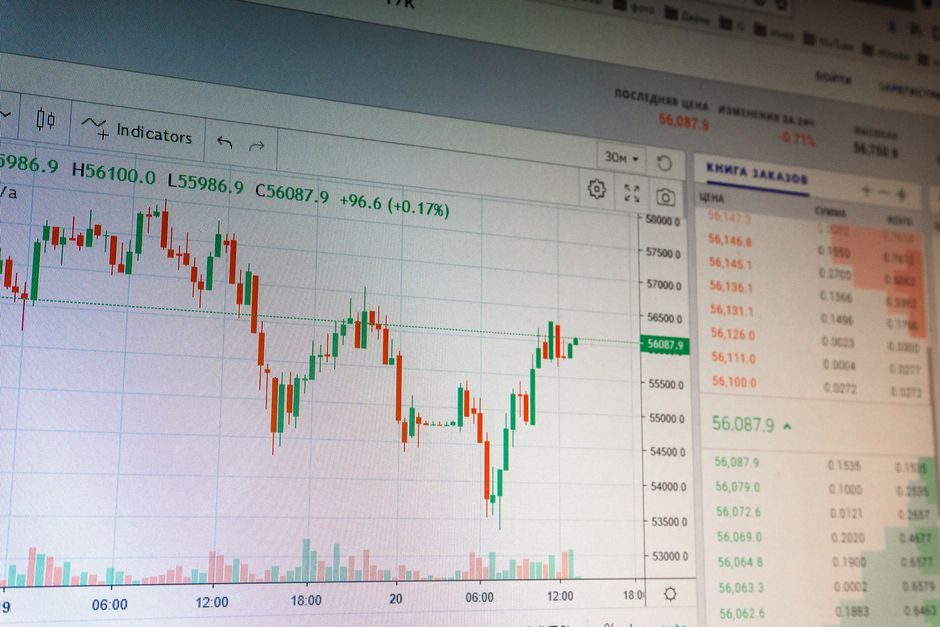
Use a current exchange rate to estimate the dollar value, and identify what kind of rate the quote represents. A döviz kuru çevirme hesaplama tool can estimate what the listed amount converts to before shoppers add fees. The result is a reference figure; your card network or payment service may use its own rate when the charge is processed.
Check the quote’s direction before entering a calculation. If a source says one US dollar equals a certain number of foreign-currency units, multiply the foreign amount by the dollar value of one unit, or divide by the units per dollar. Mixing up these directions can make an estimate dramatically too high or too low.
Use a rate source that shows the currency pair and when the rate was updated. A market quote, a bank’s rate, and a card network’s conversion can differ because they serve different purposes. For a purchase estimate, use a recent reference rate first, then check your payment provider’s fee and conversion rules.
Account for Rate Differences
Expect the charged conversion to differ somewhat from a market quote because providers may build a spread into their exchange rate. A spread is the gap between a reference market rate and the rate offered for a transaction. That difference may be less visible than a separate fee, so check the card’s foreign-transaction terms as well as any stated charge.
Your payment method can determine which conversion rate applies. A card may convert the transaction when it is processed, while a payment service or seller may offer to convert it earlier. Review the checkout wording carefully: the party doing the conversion and any fee should be stated before you confirm the payment.
Avoid adding a fee twice when estimating the total. If a provider’s displayed rate already includes its conversion margin, adding a separate estimate for that same margin would overstate the cost. Keep the reference conversion, any explicit transaction fee, and other purchase charges as separate line items until you know which ones apply.
- Check your card’s foreign-transaction terms.
- Look for a conversion fee at checkout.
- Do not count the same spread twice.
Convert the Listed Price to Dollars
Calculate the Base Amount
Convert the listed price before adding shipping or other charges, so you can see the item’s approximate dollar cost on its own. If the rate is stated as dollars per one unit of foreign currency, multiply the foreign price by that rate. If it is stated as foreign units per dollar, divide the price by that figure instead.
- Convert the item price before adding extra charges.
- Multiply or divide according to the quote’s direction.
- Treat the result as an estimate, not the final card charge.
For example, suppose an item costs 200 units of a foreign currency and a reference quote says one unit is worth $0.50. Multiplying gives a base estimate of $100 before fees and delivery. Use your actual checkout currency and a current quote for a real purchase; the example only illustrates how the calculation works.
A calculator or currency converter can reduce arithmetic errors, but enter the amount and currency carefully. Confirm that the tool has not reversed the currency pair or rounded too aggressively. Keep a few decimal places during the estimate, then round the final projected charge to cents for an easier comparison with a US-listed price.
| Method | Best use | What to check |
|---|---|---|
| Manual calculation | Transparent baseline estimate | Rate direction and arithmetic |
| Online currency converter | Fast conversion cross-check | Currency pair and update time |
| Card issuer conversion tool | Estimate using card terms | Fees and processing rate |
| Seller’s US-dollar quote | Compare checkout currencies | Rate and included charges |
Compare Conversion Methods
A manual calculation makes the rate and arithmetic easy to inspect, while an online converter is faster when you verify its currency pair and update time. Your card issuer’s conversion tool can be more relevant to the eventual charge, but it may not include every transaction-specific fee. Use one method for a quick baseline and another to check the likely payment amount.
If the seller offers to charge you in US dollars, compare that quote with the amount you calculate from the local-currency price. The seller’s conversion may include a less favorable rate, while paying in the local currency may leave conversion to your card provider. The better choice depends on the actual rates and fees shown for your transaction.
Keep the comparison focused on the same item and purchase conditions. A US-dollar quote that includes a different shipping method or tax treatment is not directly comparable with a local-currency price. Record which method produced each estimate and whether the figure includes only the item or additional charges.
- Manual math: transparent rate and calculation.
- Currency converter: quick cross-check.
- Card issuer tool: closer to its conversion method.
- Seller’s dollar quote: compare its rate with your estimate.
Build the estimate from the item price outward: add shipping, applicable sales tax, and any import duties or handling charges that you can confirm.
Estimate the Full Cost of the Purchase
Add Charges Beyond the Item
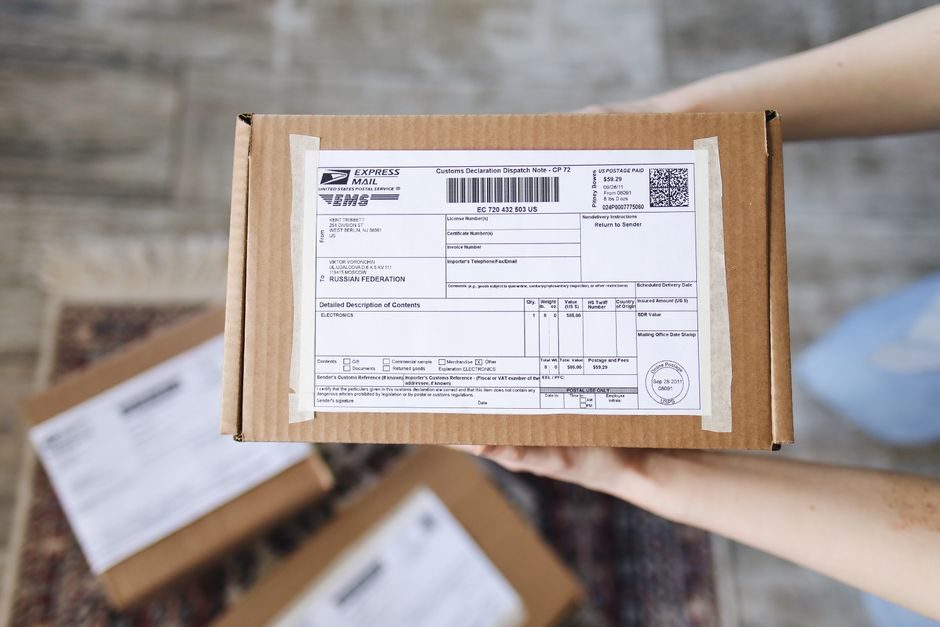
Build the estimate from the item price outward: add shipping, applicable sales tax, and any import duties or handling charges that you can confirm. Each charge can change the comparison with a US seller, even when the overseas item’s converted price looks lower. Use the checkout total where available, but check whether import charges are collected separately on delivery.
Shipping can vary with the delivery speed, package size, and destination, so use the rate offered for your actual address. Check whether the seller includes tracking or insurance in the quoted amount and whether those options are optional. If the shipping price appears only after entering an address, wait for that figure before deciding the purchase is cheaper.
Taxes and import charges depend on the product, shipment, and applicable rules, so do not assume every order has the same treatment. Check the seller’s checkout disclosures and consult official US government guidance when you need to confirm duties or import requirements. If a charge cannot be established in advance, mark it as uncertain instead of treating it as zero.
Compare the Payable Total
Compare the overseas purchase’s estimated payable total with the US alternative, not with the domestic item price alone. Include delivery, taxes, payment fees, and any known import charges on both sides. If the international total still appears lower, consider whether the delivery time, return process, and warranty coverage make the difference worthwhile.
Use a simple written breakdown so hidden costs are easier to spot. Separate the converted item price, shipping, taxes or duties, and payment-related charges; label anything uncertain. This makes it clear which assumption would change your decision, such as a shipping fee that appears only after checkout begins.
Before paying, review the final order screen for the amount, currency, delivery address, and selected conversion option. Save or note the itemized total and the seller’s stated terms, since the posted estimate may change after processing. If the final amount differs from your calculation, pause and identify the added charge or changed rate before confirming.
- Compare item and delivery costs together.
- Include confirmed taxes, duties, and payment fees.
- Label unknown charges instead of assuming they are zero.
- Recheck the total and currency before confirming.
Compare the Seller’s Conversion With Your Own
Check the Checkout Currency
Before accepting a seller’s dollar total, check which currency the checkout will actually charge. A shop may show an estimated US-dollar amount while processing the payment in euros, yen, or another local currency. The distinction matters because your card issuer or payment service may perform the final conversion using its own rate and fees.
- Record the listed price and its currency.
- Add shipping and other charges shown before payment.
- Convert the total using a rate you can identify.
- Compare that estimate with the checkout total and note the charge currency.
Compare the seller’s displayed conversion with a separate estimate made using the same foreign-currency price. For example, if a jacket is listed in euros, convert that euro amount to dollars rather than comparing the seller’s dollar estimate with a different item or a price that includes shipping.
Use the checkout page to confirm whether the displayed dollar amount is a guaranteed charge or merely an estimate. Look for wording about the currency of the transaction, conversion, or payment. If that detail is unclear, assume the foreign-currency amount may be charged and use your card’s conversion terms to estimate the final cost.
- Identify the currency of the listed price.
- Check the currency shown at checkout.
- Compare both dollar estimates using the same item total.
- Treat an estimate as variable unless the seller confirms otherwise.
Compare Matching Totals
Make the comparison fair by using the same set of costs on both sides. A seller’s converted product price may exclude shipping, taxes, or an import charge that appears later, while your estimate may already include some of them. Write down each component separately so a lower-looking price does not conceal a higher overall bill.
For instance, compare the seller’s dollar estimate for the item alone with your own item-only conversion first. Then add shipping and any disclosed charges to both totals, where applicable. If the seller does not show an import-related cost, leave it marked as unknown instead of treating the checkout estimate as a complete landed cost.
A small difference between two conversions is not necessarily an error. The seller may use a different rate, set a conversion margin, or refresh its estimate at checkout. Focus on the currency you will be charged, the fees your payment method may add, and whether the displayed figure is final or subject to change.
Watch for Fees, Spreads, and Rounding
Spot the Conversion Spread
A conversion rate offered by a seller or payment provider can differ from a reference exchange rate because it includes a spread. The spread is the gap between a market or indicative rate and the rate used for the transaction. When comparing a seller’s conversion with your own, check the actual charge currency and the rate source, not just the converted amount.
For a price shown in US dollars, dolar kaç TL oldu can help you check its lira equivalent when comparing the seller’s conversion with another estimate. That comparison can help you spot a difference, but it does not establish the rate your card will use or the final amount that will post to your account.
For a useful comparison, note the time you checked each rate because exchange rates can move. Then compare the seller’s rate with the rate your card issuer or payment service says it uses, if that information is available. Treat a reference rate as a benchmark, not a promise of the amount that will be charged.
- Look for a stated conversion rate or margin.
- Check whether the seller or card provider converts.
- Compare rates checked at similar times.
- Keep the reference rate separate from the final charge.
Read Fees and Rounding
Check your card or payment account terms for a foreign transaction fee and any other charge that may apply to purchases in another currency. These costs can be separate from the exchange rate, so a favorable conversion does not automatically mean the payment is inexpensive. Confirm whether the fee applies to the transaction currency or to the converted dollar amount.
Rounding can also make displayed totals differ slightly from your calculation. A seller may round a converted price to whole dollars, while a card statement records the exact amount after conversion. Use the checkout’s underlying foreign-currency total when possible, and do not assume a rounded estimate is the amount that will appear on your statement.
Avoid adding the same fee twice when building your estimate. If a displayed checkout total already includes a conversion charge, do not add it again unless the seller’s terms show a separate card fee. When the terms do not make this clear, record the charge as uncertain and leave room in your budget rather than presenting a precise total.
Choose a Payment Option Carefully
Select the Charging Currency
When checkout offers to charge you in US dollars or the seller’s currency, compare the terms before choosing. A dollar option may use the seller’s conversion rate, while paying in the foreign currency may leave conversion to your card issuer. The better choice depends on each provider’s rate and fees, so do not assume either option is always cheaper.
- Mistake: assuming a dollar charge always avoids conversion costs; instead, check the seller’s rate and fees.
- Mistake: choosing a currency without reading the checkout details; instead, confirm the amount and charging currency.
- Mistake: comparing a card-converted estimate with a seller-converted total; instead, use matching conversion assumptions.
Read the screen carefully for the currency and amount that will be charged, along with any conversion fee or rate disclosure. If the dollar amount is fixed but the foreign-currency option is not, compare the fixed total against an estimate based on your card’s terms. If those terms are unavailable, recognize that the foreign-currency outcome remains uncertain.
Keep the payment choice consistent with the comparison you made. If your estimate assumes your card will convert the foreign-currency charge, selecting the seller’s dollar conversion changes the calculation. Before submitting payment, verify the selected currency and total once more, especially if changing a dropdown or payment method updates the displayed amount.
- Check the amount and currency for each option.
- Find out who performs the conversion.
- Compare any disclosed rate and fees.
- Recheck the selected option before paying.
Check Payment Protections
Consider the payment method’s protections as well as its estimated cost. Review the provider’s rules for disputed purchases, unauthorized charges, and refunds, since the process and eligibility can differ. A slightly lower estimated total may not be the only factor when buying from an unfamiliar overseas seller or arranging a shipment across borders.
Check how a refund would be handled if the item is returned or canceled. If the original payment was converted, the refund may be converted at a different rate from the purchase, and a fee may not be returned. Read the seller’s return terms and your payment provider’s rules before ordering rather than relying on the original estimate.
Use a payment method that gives you a clear transaction record and lets you recognize the seller’s charge. Avoid sending payment through an unusual route just because the seller quotes a lower price. Keep the checkout confirmation, seller terms, and payment notice together so you can explain the transaction if a charge or refund needs review.
Keep a Record of the Final Amount
Save the Checkout Details
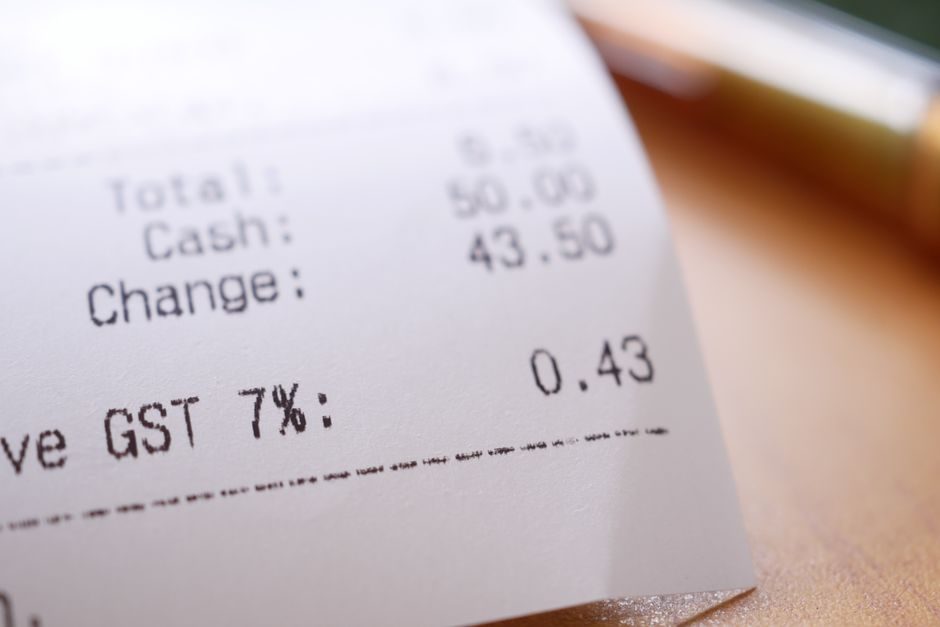
Save a copy of the checkout page or confirmation before leaving the seller’s site. Capture the item price, currency, shipping, taxes or duties shown, selected payment currency, and any conversion disclosure. These details make it easier to distinguish an unexpected change in the final charge from a cost that was already disclosed during checkout.
Keep the order confirmation and the payment notification together, since they may show different amounts or currencies. The seller’s receipt can document what it charged, while your card account shows the amount after the issuer or payment service processes the transaction. Compare both records before deciding that a difference signals a billing problem.
Record the date of purchase and the rate or estimate you used for comparison. The exchange rate may change between checkout and processing, so a later calculation may not match the amount that first appeared on screen. A brief note about who performed the conversion helps explain the difference when you review the statement.
- Save the order confirmation and itemized total.
- Note the currency selected at checkout.
- Keep the payment notice with the receipt.
- Record the rate source and purchase date.
Review the Posted Charge
Once the transaction posts, compare the card statement’s dollar amount with the receipt and your estimate. Check whether the charge includes a foreign transaction fee and whether the seller charged in the currency you selected. A pending authorization may differ from the completed transaction, so use the posted amount for the final comparison.
If the amount seems wrong, first check the receipt, the seller’s currency, and your payment provider’s conversion terms. Then contact the seller about an incorrect item or checkout charge, or contact the payment provider about a conversion or account fee. Keep the explanation specific by referring to the transaction date and the amounts shown on your records.
Use the final posted amount to improve your next comparison, not to assume every future purchase will convert the same way. Rates, fees, and payment choices can differ between sellers and transactions. Note what caused any gap between estimate and charge, such as shipping, a disclosed fee, or a different conversion rate, then include that factor next time.
Frequently asked questions
Should I use a search result’s exchange rate as my final cost?Use a displayed exchange rate as a starting point, not as a guaranteed checkout amount. Your card issuer, payment service, or seller may use a different rate, and transaction fees may apply separately. For a practical estimate, convert the full listed amount, check the payment terms, and include any shipping or other disclosed charges. The posted statement amount is the final record of what you paid.
What if the seller does not show an import charge?Do not assume an undisclosed import charge is zero, but do not invent an amount either. Check the seller’s shipping and import terms, and look for information from the carrier or relevant customs authority if you need a more complete estimate. Mark the cost as unknown until you can confirm it. That distinction keeps your comparison useful without making an uncertain total look exact.
Why is my card charge different from the checkout estimate?The checkout figure may be an estimate, while the card transaction can be converted when the payment is processed. The seller and card issuer may use different rates, and a foreign transaction fee can add a separate cost. Compare the receipt’s currency and amount with the posted statement and your card terms. A pending authorization may also change before the transaction is complete.
How can I compare prices when shipping is quoted later?Compare the item prices first, but label the result as an item-only comparison. Then check whether the seller provides a shipping estimate for your US address before payment. If shipping remains unknown, keep it separate from the converted product price rather than treating the lower item total as the cheaper purchase. Include the confirmed shipping amount once it appears at checkout.
Make the Final Comparison Before You Pay
A reliable comparison starts with the currency the seller will charge, then accounts for the full listed total, conversion method, and fees your payment option may add. Treat a reference rate as a benchmark and a checkout estimate as provisional unless the seller clearly confirms it. Matching the same costs and assumptions on each side makes it easier to see whether an overseas price is genuinely competitive.
Before placing your next order, write down the foreign-currency price, check shipping and disclosed charges, and compare the seller’s conversion with an estimate based on your payment provider’s terms. Confirm the charging currency at checkout, then save the receipt and review the posted amount. That simple record gives you a clearer answer now and a better starting point for your next international purchase.
Add How to Guides as a preferred source on Google


